
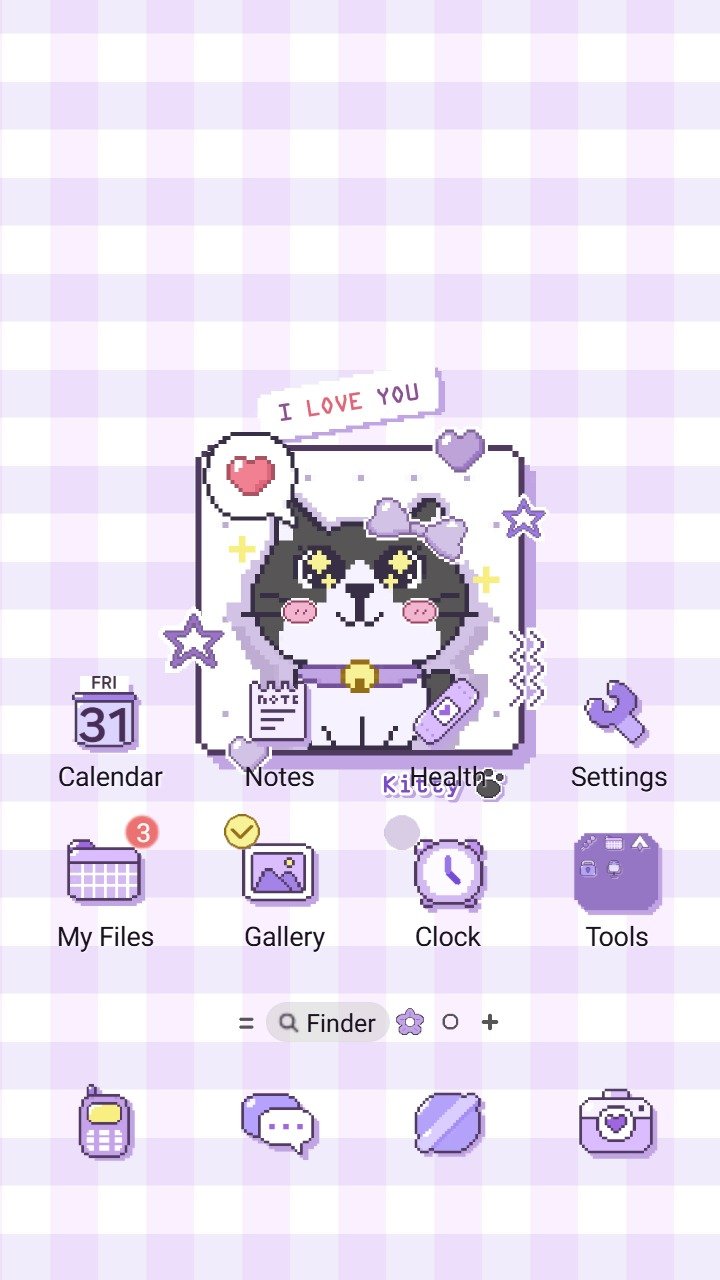
Pixel Love Cat now has two Samsung Galaxy versions. The original uses a purple checkered pixel style, while the new Pixel Love Cat Animated keeps the cute cat idea on a pastel purple background and adds motion.
What the two themes share
Both versions center the same simple idea: a cute pixel art cat in a purple palette. That makes them easy to compare without changing the whole mood of your screen.
Before choosing, open the preview images and check the Home Screen, Lock Screen, icons, and text against the way you use your phone.
Choose the animated version for a little movement
Pixel Love Cat Animated is the new release. It pairs the pixel cat with a pastel purple background and animated details.
This version fits people who want the wallpaper to feel more active while keeping the design compact and playful.
Choose the static version for a quieter screen
Pixel Love Cat uses a purple checkered aesthetic without the animated treatment. It is the calmer choice if you like the character and palette but prefer a still background.
Check readability before applying either theme
- Look at icon labels against the wallpaper.
- Check the clock and notifications on the Lock Screen.
- Preview light and dark areas around frequently used icons.
- Confirm compatibility on the Galaxy Store listing for your phone and region.
For a broader checklist, read how to choose a Samsung theme that stays easy to read.
Availability
Pixel Love Cat Animated is available from the Samsung Galaxy Store.
The original Pixel Love Cat is available from the Samsung Galaxy Store.